
Cloud-based iris photography software
Your clients get their iris photos online.
And order their prints from the same page.
IriStore is iris photography software that brings together a customer portal where every client finds and downloads their digital photos, a built-in online shop where they design and order their prints, and a back office that connects capture, production and invoicing.
Customer portal
Online shop
Back office
In-store kiosk
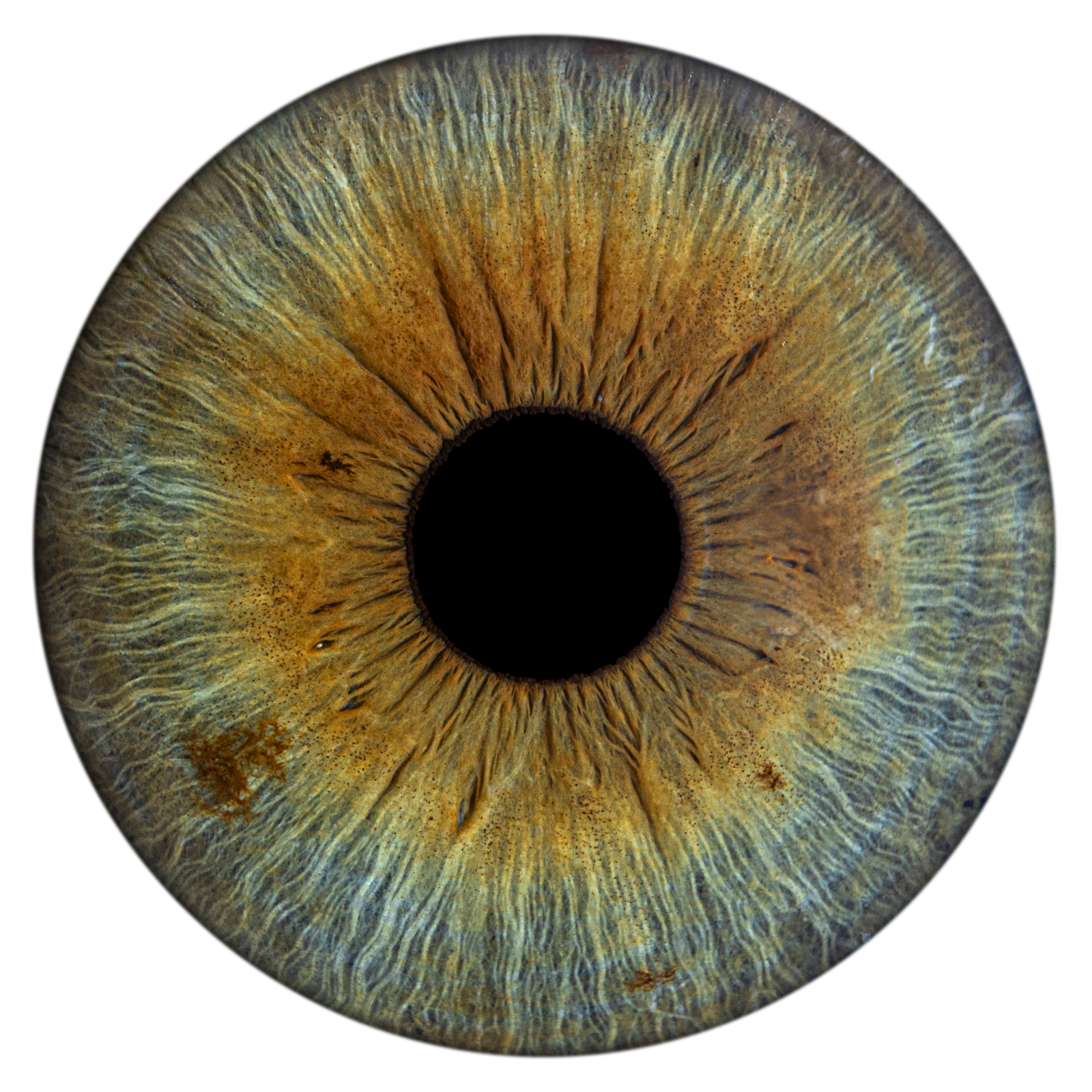
The customer portal
Their photos are already waiting.
Clients log in and find all their irises: retouched photographs, digital designs, those of their partner and their children. They download what they want, when they want, as many times as they want.
- Instant download of digital files, with no time or quantity limit
- All the irises of one family gathered in a single account
- Generated digital designs, right next to the original photographs
- Full-screen viewer to look at every iris in detail
- The iris report: a visual, personal reading of their eye
- Their invoices, orders and after-sales support in one place
- French and English, in your brand’s colours and logo
The most expensive after-sales task in an iris studio — resending lost files — disappears.
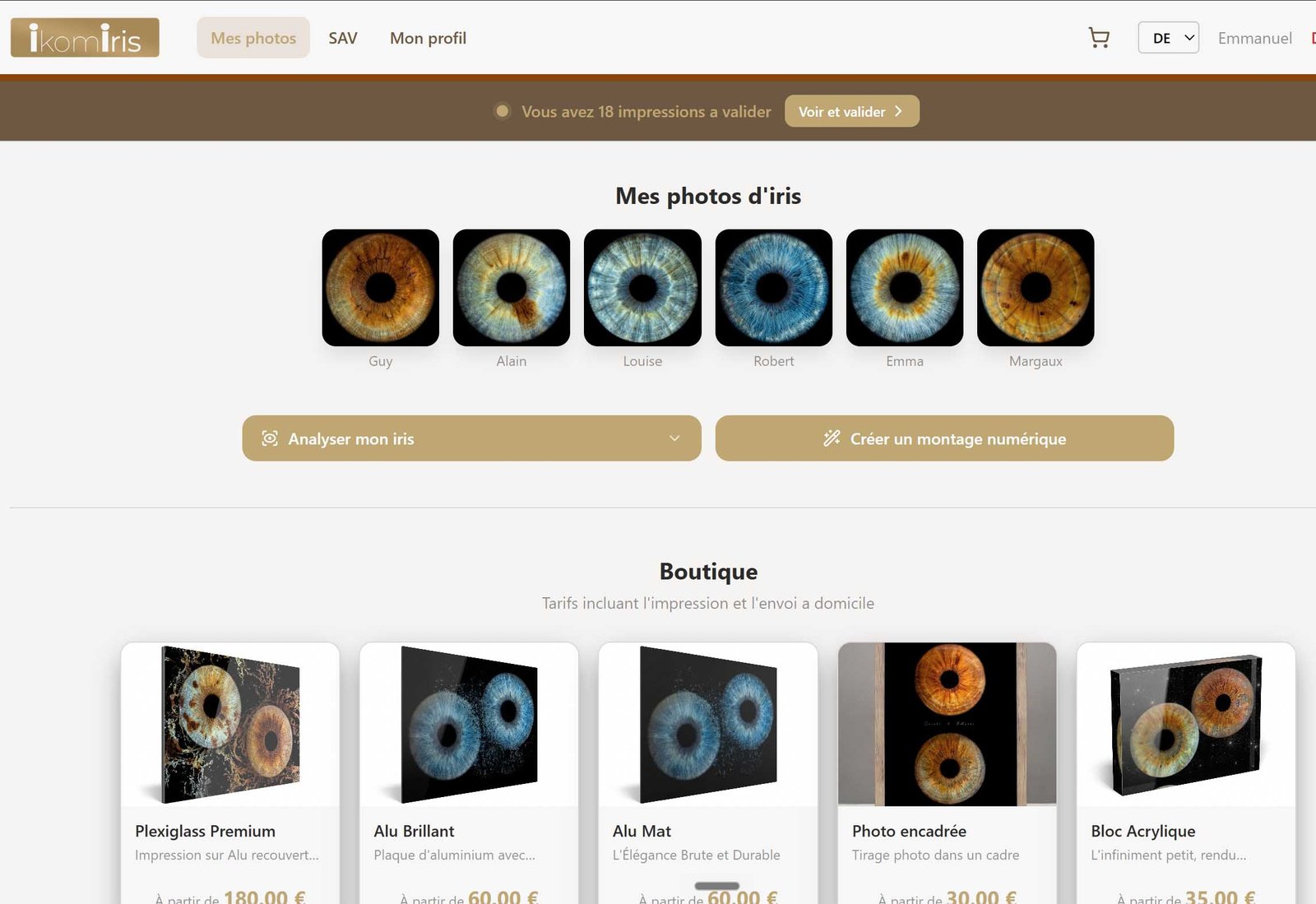
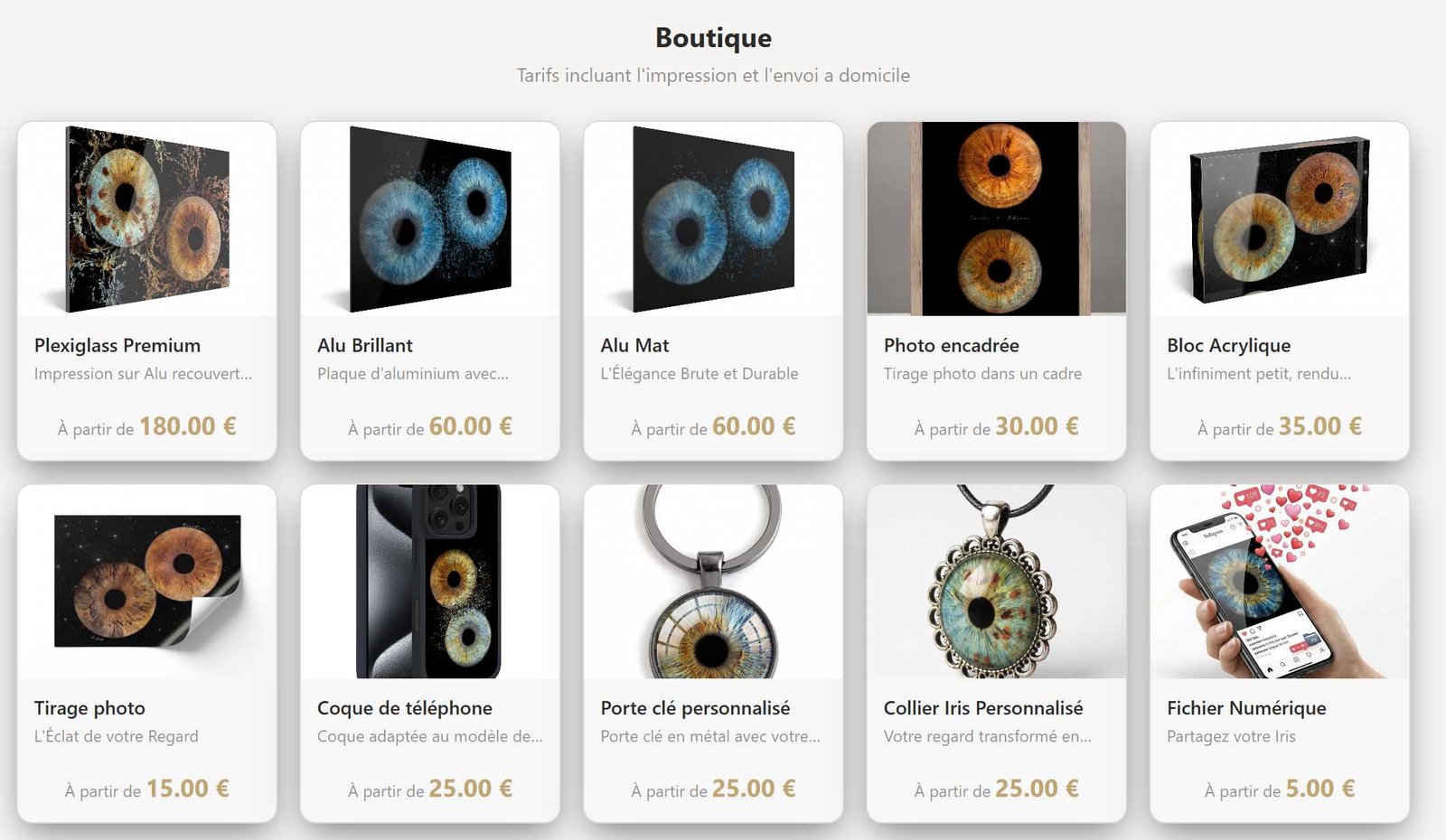
The built-in online shop
The sale doesn’t stop when the client leaves the store.
From the same portal, clients browse your catalogue, design a print with their own irises, see it applied to the chosen product, and pay by card. You only produce once you’ve been paid.
- Your online catalogue: your products, your formats, your finishes, your prices
- Live customisation: their irises, their text, their background, their framing
- In-situ preview — the design projected in perspective onto the real product
- Cart saved from one visit to the next
- Secure card payment, invoice issued automatically
- Gift cards available online to the general public
- Digital designs sold on their own, with no physical product or shipping
A second sale, without a second visit — and without a minute of your counter time.
The product
Iris photography software for the whole trade
Selling an iris photograph isn’t selling a picture. It means photographing an eye, retouching it, laying it out on a product, getting it approved, taking payment, having it printed, delivering it, then standing behind it. Seven jobs that, in most businesses, live in seven different tools. IriStore brings them together in a single database — the client identified at the counter is the same one on the invoice, the support ticket and the printer order.
Portal
Customer portal
Photos, downloads, shop, orders, invoices, support.
Admin
Back office
Clients, invoices, designs, catalogue, production, settings.
Kiosk
In-store wizard
Touch-screen sales flow at the counter, card-terminal payment.
Bridge
Local service
Controls the card terminal over the store network.
API
Server
HD rendering, webhooks, inbound e-mails, embeddable widgets.
Who IriStore is for
Two ways to run this business
The platform adapts to a single store as well as to a network — the same features, a different scope.
The business adding iris photography
Optician, photo studio, retail store
The business that installs an iris capture kiosk alongside its main activity. Staff aren’t trained in graphic design and can’t spend half an hour with every client.
What they gain: clients design on their own, at the kiosk or from home. The team takes the photos, takes payment, and lets the platform do the rest.
The iris studio
One or more points of sale
The specialist photographer who works by appointment, shoots, retouches and sells prints. Today they keep their client file in a spreadsheet, send photos via WeTransfer and place supplier orders in a browser tab.
What they gain: the spreadsheet, the file transfers and the supplier portal disappear. One client record holds the irises, the designs, the invoices and the tickets.
The journey
From eye to parcel, in eight steps
Every sale goes through these eight steps, in this order. Each one is triggered by the previous one: it’s a chain, not a list of options.
01
Capture
The operator photographs the iris at the counter. One button drops the client’s identity into the database; the kiosk, already open next to it, picks it up within seconds — no address to retype, no session to reopen.
02
Retouching
Our automated retouching tool cuts out and cleans up the iris, using settings defined once and for all: margin, pupil size, soft edges, vignette, background. For tricky cases: curves, histogram, and generative retouching that rebuilds the iris texture — stray reflections, eyelashes, dust — with undo.
03
Online delivery
The photos arrive in the client’s portal and the client gets an e-mail. They log in, look at them, download them. No files to send by hand, no expiring links, no reminders to chase.
04
Design
The client picks a design and customises it: framing and rotation of their irises, text, font, colour or image background. At the kiosk in store, or from their sofa — the same editor, the same designs.
05
Payment
Card terminal at the counter, online card, cash, cheque, gift card, promo code, PayPal, Alma. The invoice goes out with its sequential number, the payment is recorded in the journal, and the cash register is updated if the business uses one.
06
Proof approval
The high-definition render is submitted to the client in their portal. They approve it, or request a change by describing what’s wrong. Nothing goes to print without their approval — this is where reprints are avoided.
07
Production
The server builds the print file at the exact size of the product, sends it to the printer, and tracks the supplier status through to shipping. Grouped orders, bulk sending, PDF purchase order, or on-site printing in store.
08
After-sales
Clients find their orders, invoices and tickets in their portal. Their e-mail replies feed straight into the ticket: no more threads lost in a shared inbox.
Key features
Six things IriStore does that nothing else does together
A customer portal that works for you
Every client has their own account: their irises, designs, downloads, invoices, orders and tickets. They serve themselves, at any time, under your brand and in their language.
A shop that sells before it prints
The catalogue is online with its variants, options and in-situ preview. Clients buy an object they designed and saw themselves. You only produce after payment and approval.
A client file that knows about irises
A record doesn’t just hold contact details: it holds the people photographed, their raw and retouched irises, their designs, prints, invoices and activity log. Search, filters, export, GDPR-compliant anonymisation.
A built-in design studio
A full graphic editor in the browser: layers, iris roles, masks, blur, curved text, placement in the print file, perspective mockup area. You create your own templates, without calling a graphic designer for every new product.
Production connected to the supplier
The high-definition render is computed server-side, at the exact size of the product. The file goes to the printer via API and the status comes back automatically. Bulk approval and sending to process the whole day in one go.
The iris report
A visual, poetic reading of the photographed iris: uniqueness score, dominant colours, anatomical structures identified, associated planet, a short story. A gift that gives clients a reason to come back to their portal — and gives the business a selling point that costs nothing to produce.
The benefits
What it changes, in practice
No more sending files
Photos are in the client’s portal as soon as they’re ready. No more expired transfer links, USB sticks or “I never got my photos”.
A sale that continues after the visit
Clients come back for their photos and find the shop in the same place. A print, a gift, a gift card — without anyone at the counter having to chase them.
No more re-keying
A client entered once becomes the invoice, the supplier order and the support ticket. One database, no manual bridge between tools.
Fewer reprints
Clients see their design in situ before buying, then approve the high-definition proof before production. Disagreements are settled before printing, not after.
Accounting that adds up
Sequential numbering per brand, credit notes, payment journal by method, CSV export, and sync to the cash register for businesses that require one.
Your identity, not ours
Colours, gradients, buttons, cards, shadows, typography and logo are set per brand. Clients never see the platform’s name — they see your brand.
Pricing
Choose Your Plan
The same foundations in all three plans: the client file, invoicing and print management. The customer portal, the online shop and payments are added as you go up.

Basic
€150/month
- Admin dashboard
- Multi-store
- Client management
- Invoicing
- Print management
- VAT management
- Not included:
Customer portal - Not included:
Online designs - Not included:
Printer API - Not included:
Remote retouching - Not included:
Promo codes - Not included:
Gift cards - Not included:
Support tickets - Not included:
PayPal payments - Not included:
Stripe payments - Not included:
Stancer payments

Standard
€185/month
- Admin dashboard
- Multi-store
- Client management
- Invoicing
- Print management
- VAT management
- Customer portal
- Not included:
Online designs - Printer API
- Remote retouching
- Promo codes
- Not included:
Gift cards - Not included:
Support tickets - Not included:
PayPal payments - Not included:
Stripe payments - Not included:
Stancer payments

Premium
€240/month
- Admin dashboard
- Multi-store
- Client management
- Invoicing
- Print management
- VAT management
- Customer portal
- Online designs
- Printer API
- Remote retouching
- Promo codes
- Gift cards
- Support tickets
- PayPal payments
- Stripe payments
- Stancer payments
Struck-through features are not included in the plan.
Screenshots
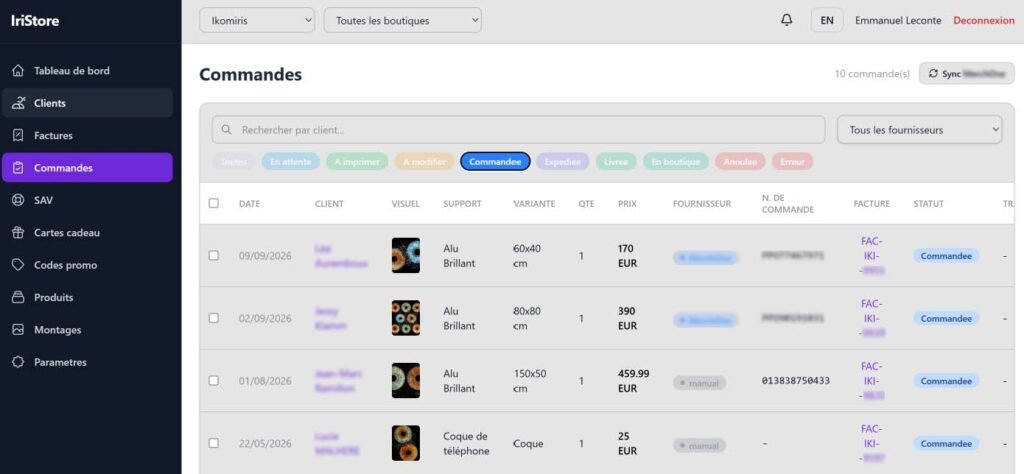
Admin dashboard
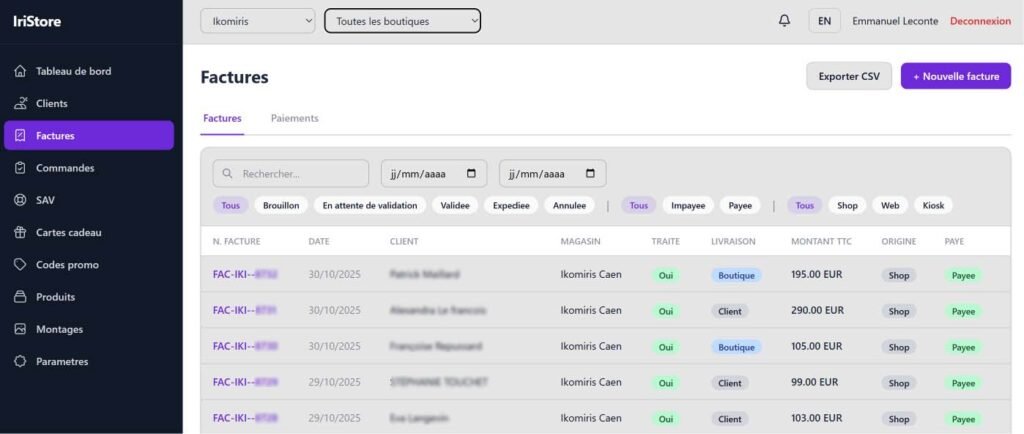
Inventory
The complete feature list
By module, as they exist in the platform. This section is a technical datasheet: it’s there to answer comparisons and tenders.
M01
Customer portal
20 features
- Secure sign-up and login
- Forgotten password and reset
- Gallery of all the client’s irises
- Irises of several people on one account
- Full-screen viewer
- Digital file download
- Generated digital designs in the gallery
- Design deletion by the client
- “Your photos are ready” e-mail
- Iris report viewable and regenerable
- Built-in online shop
- Customisation with live preview
- Cart saved from one visit to the next
- Online card payment
- Order confirmation page
- Proof approval before production
- Change request with comment
- Invoices viewable and downloadable
- After-sales tickets
- Profile and address with autocomplete
M02
Online shop
14 features
- Online catalogue with direct prices
- Product page with image gallery
- Variants by format and size
- Finish and hanging options
- Choice of design from your templates
- Selection of irises from their own gallery
- Customisable text, fonts and backgrounds
- Framing and rotation of each iris
- Perspective preview on the real product
- Summary before adding to cart
- Online payment and automatic invoicing
- Gift card purchase by the general public
- Digital design sold without a physical product
- Activity log of the shopping session
M03
Clients & irises
22 features
- Client list with full-text search
- Filters by brand and by store
- Complete client record
- Record creation and editing
- CSV export of the client file
- Account activation / deactivation
- GDPR anonymisation of a record
- Linked people: several irises per client
- Raw iris photo import
- Retouched photo import
- Automated iris retouching
- Fine post-processing settings
- Curves and histogram editor
- Iris colour adjustment
- AI generative retouching (brush + reconstruction)
- Choice of three retouching engines
- Undo for generative retouching
- Gallery of the client’s other photos
- Deletion of a generated photo
- Client print history
- Activity log per client
- Digital design generation from the back office
M04
Invoicing & payments
18 features
- Invoice list with filters and search
- Invoice creation with free-form lines
- Adding catalogue products to the invoice
- Invoice editing and deletion
- Sequential numbering per brand
- Numbering prefix per franchise
- Status change (paid, pending)
- “Processed” flag
- Credit notes
- Invoice PDF generation
- Customisable invoice footer
- Multiple payments on one invoice
- Eleven payment methods supported
- Payment deletion
- Payment journal by method
- Consolidated payment list
- Sale origin (kiosk, web, store)
- CSV export of invoicing
M05
Designs & graphic editor
15 features
- Design library in a grid
- Full-screen graphic editor
- Layer management and ordering
- Iris roles on layers
- Static photo and effect layers
- Client text and fixed text layers
- Iris masks (black and white to transparency)
- Adjustable blur per layer
- Curved text
- Global design rotation
- Placement in the print file
- Mockup area editor with four points
- Design preview
- Iris categories (solo, duo, trio, quartet, quintet)
- Digital-only designs
M06
Catalogue & products
16 features
- Catalogue of physical products
- Variants by format and size
- Product categories and subcategories
- Image gallery per product
- Dedicated image per variant
- Perspective mockups per variant
- Finish and hanging options
- Option images
- Catalogue reordering
- Separate visibility for kiosk / online shop
- Automatic translation of product pages (English, German)
- Supplier catalogue sync
- Catalogue overrides per brand
- Services and photo sessions
- Digital effects
- Background images and fonts
M07
Orders & production
17 features
- Order list with status filters
- Enriched order details
- High-definition proof viewer
- Print file download
- Order approval
- Bulk approval
- Bulk status change
- Sending to the print supplier
- Bulk sending to the supplier
- Supplier status sync
- Bulk sync
- Grouping orders into one shipment
- PDF purchase order
- Manual proof import
- High-definition render relaunch
- Render progress tracking
- On-site printing to a store printer
M08
High-definition rendering engine
10 features
- Server rendering at print-file size
- Iris mask application
- Blur and halo spilling over the mask
- Text with automatic line wrapping
- Design rotation with cropping
- Full-bleed colour or image background
- High-quality JPEG export
- Upload to object storage
- Job queue with status
- Background rendering triggered after payment
M09
Kiosk & counter sales
14 features
- Four-step touch-screen flow
- Multi-item cart
- In-situ preview on the kiosk
- Card-terminal payment
- Simulation mode for training
- Summary purchase order
- Kiosk and station registration
- Up to eight stations per kiosk
- Single-use activation code per station
- Revocation of one station or the whole kiosk
- Traceability: serial number, version, last activity
- Client identification from the capture station
- Identification from the back office
- Embeddable widgets (mosaic, pricing) for the showcase website
M10
After-sales
9 features
- Ticket categories
- Ticket list and details
- Ticket creation from the back office
- Ticket creation by the client
- Reply thread
- Status change
- E-mail replies attached to the ticket
- Automatic notifications to both parties
- Link to the client record
M11
Gift cards & promo codes
11 features
- Gift card issuing
- Card categories
- Card artwork
- Search by code
- Gift card PDF
- Sending the card by e-mail
- Card usage report
- Online gift card purchase by the public
- Promo codes with conditions
- Promo code search
- Gift card payment in invoicing
M12
Dashboard
9 features
- Revenue for the day and the month
- Open tickets
- Orders to modify (client request)
- Orders to print
- Orders in error
- Activity charts
- Recent activity
- Today’s appointments from the user’s calendar
- Dismissible error alerts
M13
Multi-brand & franchises
12 features
- Tenants (brands)
- Stores linked to a brand
- Franchise records
- Data isolation per brand
- Global brand and store selector
- Users with roles and permissions
- User invitation by e-mail
- Integration keys per brand
- Subdomain per franchise
- Invoicing prefix per franchise
- Commission rate
- Logo and legal details per franchise
M14
Visual identity & notifications
12 features
- Colours and gradients per brand
- Button styles
- Product card styles
- Shadows and corner radii
- Typography
- Brand logo
- Live preview of settings
- Light and dark theme
- Fifteen e-mail templates covering the whole journey
- In-house templates or e-mail provider templates
- Documented variables per template
- Interfaces in French and English
M15
Iris report
7 features
- Visual analysis of the iris photograph
- Score and rarity level
- Five dominant colours extracted
- Eight anatomical structures identified and explained
- Planet associated with the dominant hue
- A short story unique to the iris
- Four visual facets (pattern, texture, light, character)
Ecosystem
The services IriStore connects to
Each brand enters its own credentials: it takes payments, prints and communicates under its own contract.
Stripe
Online payment, one account per brand
Ingenico
Card terminal at the counter
PayPal · Alma
Additional payment methods
MerchOne
Printing and shipping
Ikibox
In-store capture station
HelloCash
Cash register
SendGrid
Outbound and inbound e-mails
Google Calendar
Today’s appointments per user
Amazon S3
Storage for photos and renders
HERE
Address autocomplete
Bookly
Online appointment booking
Zapier
Custom automations
AI models
Retouching, translation, iris report
In short
A platform for a trade
that never had one.
Iris photography is practised today with tools borrowed from other trades. IriStore was built for this one: capture, the iris, the design, the customer portal, the shop, the printed object, the franchise. Nothing to adapt, nothing to work around.
4 applications
15 modules
200+ features
13 integrated services
FR · EN
